Page 5 - Demo
P. 5


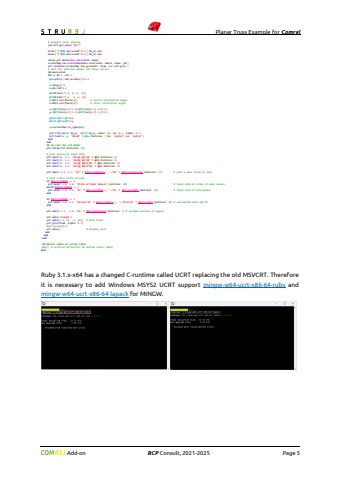
                                    Planar Truss Example for Comrel Add-on RCP Consult, 2021-2026 Page 5 end elsif nf == 3 # set a main subtitle of plot plt.text(12.0, 8.0, 'Internal member von Mises stress $\\sigma_{v}$ [MPa]',fontsize: 16,ha: 'center') # prepare color mapping jet=plt.get_cmap('jet') minA=[*[*@NN.abs/areab*1e-6].to_a].min maxA=[*[*@NN.abs/areab*1e-6].to_a].max cNorm=plt.Normalize.call(minA, maxA) scalarMap=cmx.ScalarMappable.call(norm: cNorm, cmap: jet) plt.colorbar(scalarMap,use_gridspec: true, ax: plt.gca()) # plot for internal member von Mises stress dA=maxA-minA for e in 0..nfe-1 @Su=@NN[e].abs/areab[e]*1e-6 l=leng[e]/2 n=@Su/dA*0.2 @X=DFloat[*[-l, l, l, -l]] @Y=DFloat[*[-n, -n, n, n]] c=Math.cos(theta[e]) # cosine inclination angle s=Math.sin(theta[e]) # sinus inclination angle x=(@XY[ien[e,0]-1,0]+@XY[ien[e,1]-1,0])/2 y=(@XY[ien[e,0]-1,1]+@XY[ien[e,1]-1,1])/2 @Xrot=@X*c-@Y*s+x @Yrot=@X*s+@Y*c+y co=scalarMap.to_rgba(@Su) plt.fill(@Xrot.to_a, @Yrot.to_a, color: co, l 0.5, alpha: 0.7) plt.text(x, y, '%0.0f' % @Su,fontsize: 7,ha: 'center',va: 'center') end end ## do rest for all plots plt.title(tit,fontsize: 18) # plot values of input data plt.text(22, 5.5, 'A1=%g $m^2
   1   2   3   4   5   6   7   8   9   10


% @A1,fontsize: 8) plt.text(22, 5.2, 'A2=%g $m^2
   1   2   3   4   5   6   7   8   9   10


% @A2,fontsize: 8) plt.text(22, 4.9, 'E1=%g $N/m^2
   1   2   3   4   5   6   7   8   9   10


% @E1,fontsize: 8) plt.text(22, 4.6, 'E2=%g $N/m^2
   1   2   3   4   5   6   7   8   9   10


% @E2,fontsize: 8) plt.text(-1.0, 5.5, '%s' % $StrurelModule+' '+'%s' % $StrurelVersion,fontsize: 12) # plot a main title of plot # plot a main title of plot if $StrurelMode == 0 plt.text(-1.0, 5.0, 'State at Mean Values',fontsize: 10) # input data at state of mean values elsif $StrurelMode == 2 plt.text(-1.0, 5.0, '%s' % $StrurelIMET+', '+'%s' % $StrurelIOPT,fontsize: 10) # input data at beta-point end if $StrurelMode == 2 plt.text(-1.0, 4.5, 'beta=%.5f' % $StrurelBeta+', '+'Pf=%.5f' % $StrurelPf,fontsize: 10) # calculated beta and Pf end plt.text(-1.9, 9.7, 'matplotlib '+mpl.__version__,fontsize: 7) # invoked version of matplotlib plt.text(-1.9, -1.8, '%s' % $StrurelEngine,fontsize: 7) # invoked version of engine plt.axis('scaled') plt.axis([-2, 26, -2, 10]) # plot frame plt.grid(true, alpha: 0.3) #plt.pause(0.1) $StrurelPlotCount+=1 if $StrurelPlotMode == 2 or $StrurelPlotMode == 3 plt.savefig($StrurelPlotName+'%s' % $StrurelPlotCount+$StrurelPlotType) # save a plot as image file end if $StrurelPlotMode == 1 or $StrurelPlotMode == 3 plt.show() # display plot end end endend## Return value of script (def)@a[7] # vertical deflection at bottom center (N04)endRuby 3.1.x-x64 has a changed C-runtime called UCRT replacing the old MSVCRT. Therefore it is necessary to add Windows MSYS2 UCRT support mingw-w64-ucrt-x86-64-ruby and mingw-w64-ucrt-x86-64-lapack for MINGW.In the script above it is demonstrated how to create additional visualization from Ruby. For this an interaction between Ruby and Python will be used. That means you need to install Python and its special plotting library matplotlib additionally on your computer.
   1   2   3   4   5   6   7   8   9   10